


Troubleshooting
Turn on card IDs in PTCG Live
Updated
Every card in a PTCG Live battle log carries an ID in brackets, like (me2-5_8) Chikorita. The ID names the exact printing, and it's how DeckSequence knows which card you played, attached or evolved. Deck exports carry the same thing at the end of each line, like TWM 128.
PTCG Live has a setting that strips those IDs out. With it on, the log still copies, but DeckSequence can't tell which cards were in it. Your match still saves. The replay and card usage for that match come out empty.
How to turn it on
- On the PTCG Live home screen, tap your Profile.
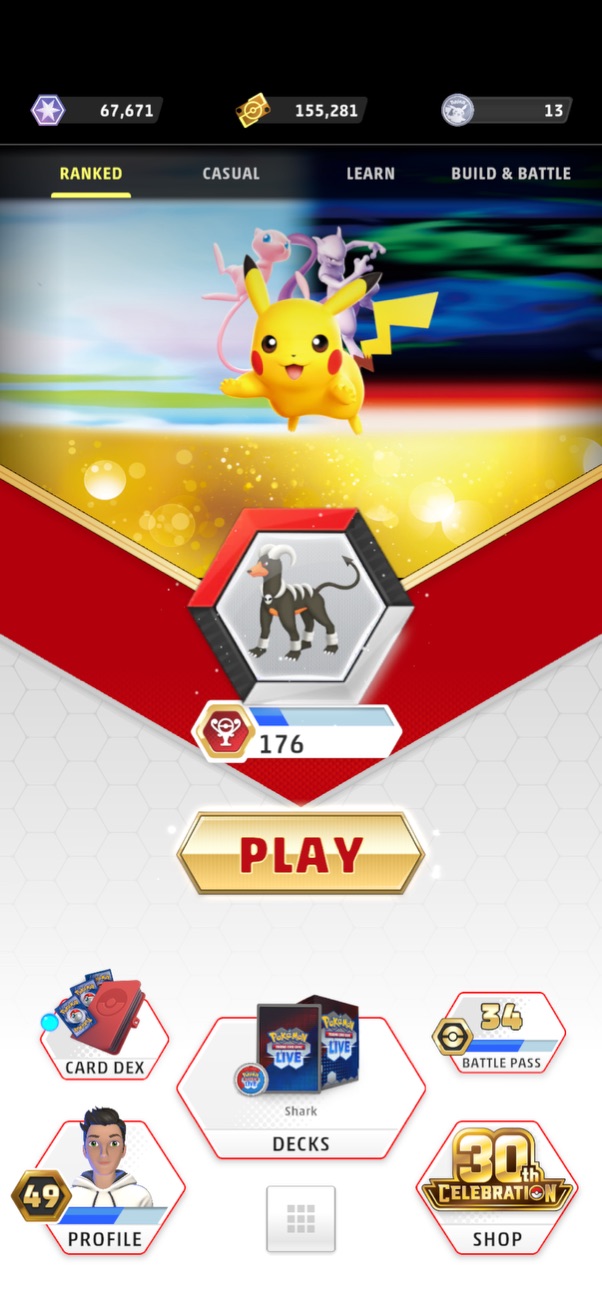
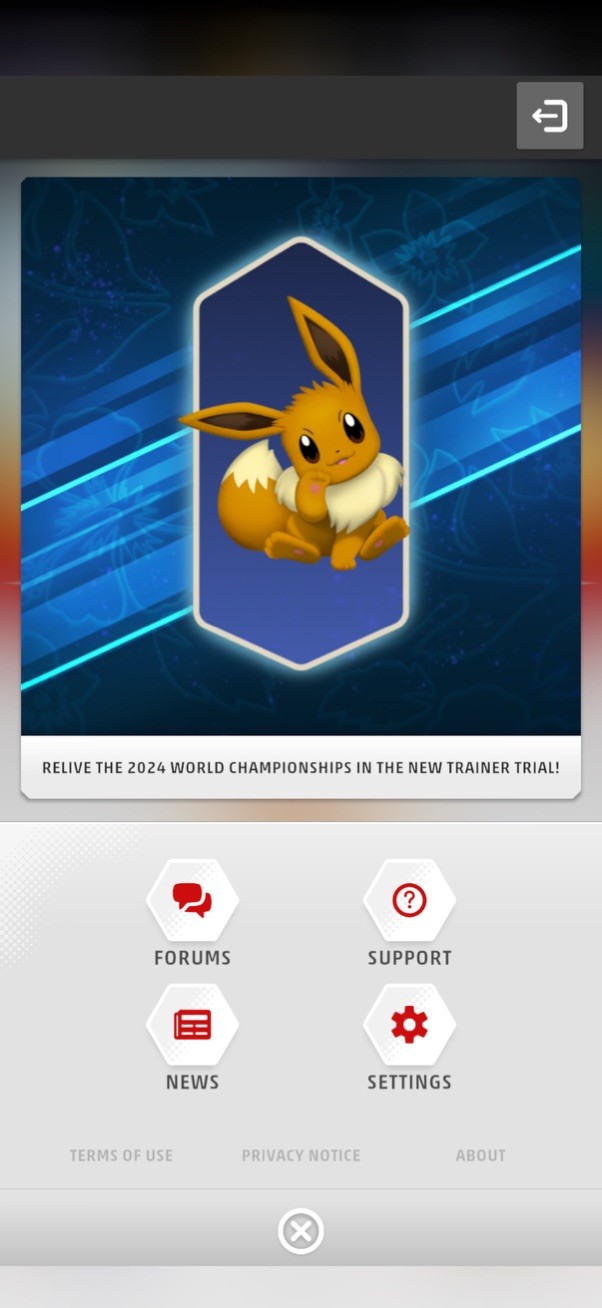
- Tap Settings.
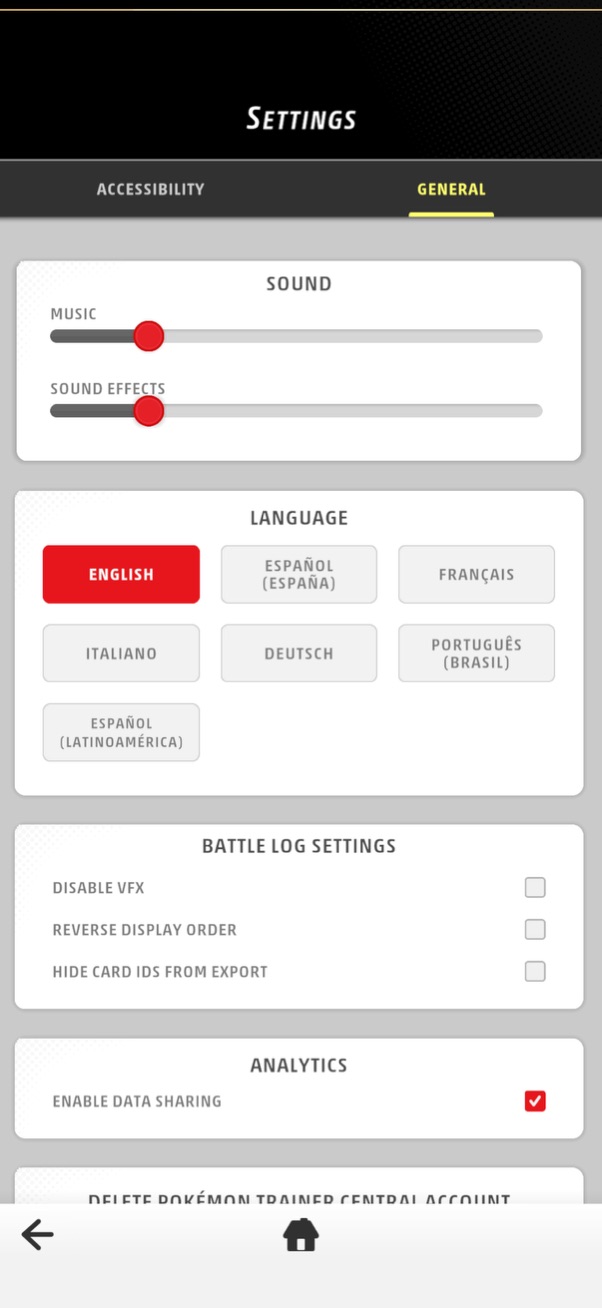
- Under Battle Log Settings, untick Hide Card IDs from Export.
- Copy the battle log or the deck again, then paste it into DeckSequence.
The setting stays off from then on, so every log and deck you copy afterwards has its IDs.
Fixing a match you already saved
Open the match in DeckSequence, choose Edit, and paste the new copy of the battle log in place of the old one. The replay and card usage rebuild from it when you save.
If you no longer have the match in PTCG Live, the match itself is still right. Only the replay and card usage are missing for that one.
A deck that pasted without IDs
The same setting covers deck exports. Turn it off, export the deck again, and paste it into the deck's Paste decklist option or a new deck.
Still stuck? Email hello@decksequence.com and say what you tried.